Getting Started with Style Creation
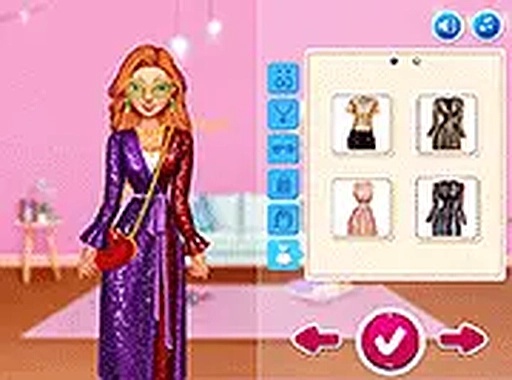
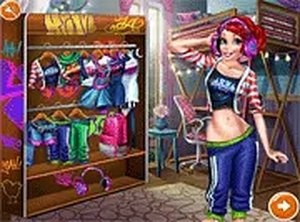
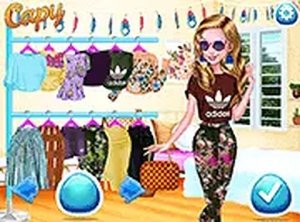
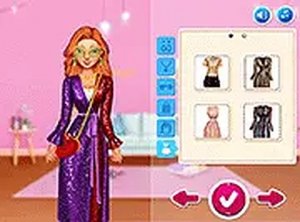
Players begin by selecting a friend to style. The wardrobe contains many clothing pieces including tops, bottoms, shoes, and accessories. Each item can be dragged onto the character to preview how it looks. The interface is simple and responds quickly to touch or mouse input, making it easy to experiment with different combinations.
Building Unique Outfits
The core activity involves mixing clothing pieces to create original looks. Tops and bottoms come in various cuts and colors. Shoes range from casual to dressy styles. Accessories such as bags and jewelry add finishing touches. Players can also change hairstyles and makeup to complete each outfit. There are no limits on how many times items can be changed, encouraging free experimentation.
Personalization Options
Beyond clothing, the game offers options to adjust hairstyle and makeup. These choices allow for more detailed character customization. Players can create looks that feel personal and distinct. The combination of clothing and appearance settings provides a broad range of visual outcomes.
Saving and Sharing Creations
Once an outfit is complete, players can save their work. Saved looks can be revisited later or shared with friends. This feature adds a sense of accomplishment and allows for comparing different style ideas. The sharing process is straightforward and does not require account creation.
Accessibility and Platform Support
The game runs entirely in a web browser on both mobile phones and desktop computers. No software installation is required. The layout adjusts to screen size, so controls remain usable on smaller screens. Full screen mode is available for a more focused experience. There are no time limits or scoring systems, which keeps the activity relaxed and pressure-free.
Comments
0 comments