How the Matching Works
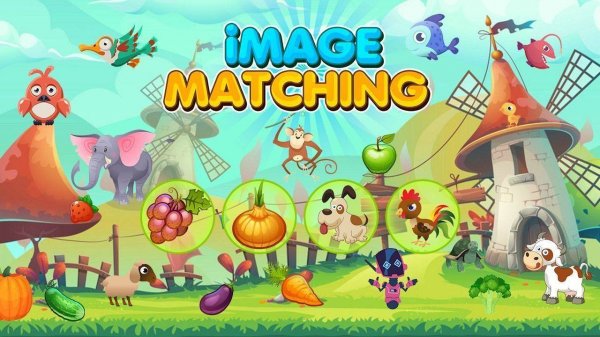
Each round presents a single target image on one side of the screen and a group of candidate pictures nearby. The child's task is to select the picture that exactly matches the target. There is no timer or score pressure described, so the pace stays under the player's control. This format trains attention to detail because a correct choice depends on noticing small visual differences between similar images.
Themed Image Sets
The game organizes its content into distinct categories: fruits, vegetables, animals, foods, fish, birds, and robots. Each theme introduces its own vocabulary and visual patterns. Switching between themes keeps the activity from feeling repetitive and gives children repeated exposure to new words alongside the matching task. The variety is the main reason the game supports repeated play sessions without becoming stale.
Feedback and Error Handling
Correct matches trigger a cheerful sound and a visual cue. Incorrect selections produce a gentle prompt to try again rather than a penalty or harsh error message. That design choice lowers frustration and lets children correct themselves without adult intervention. The feedback loop is simple but effective: it confirms success clearly and treats mistakes as part of the learning process.
Skills Developed Through Play
The drag-and-drop mechanic requires children to move images with precision, which supports fine motor skills and hand-eye coordination. Matching itself strengthens visual memory and recognition. Because each round asks the player to compare several images before choosing, the game also encourages patience and focus. These are developmental benefits that come from the core activity, not from added features.
At Home or in the Classroom
The interface is simple enough that after a brief introduction, children can play with minimal supervision. Parents and teachers can sit alongside and talk about the images, reinforcing vocabulary as the child matches. Content is chosen to be age-appropriate and safe, making it suitable for early learning environments where reliable, low-distraction tools matter.








Comments
0 comments