Running a Monkey-Run Shop
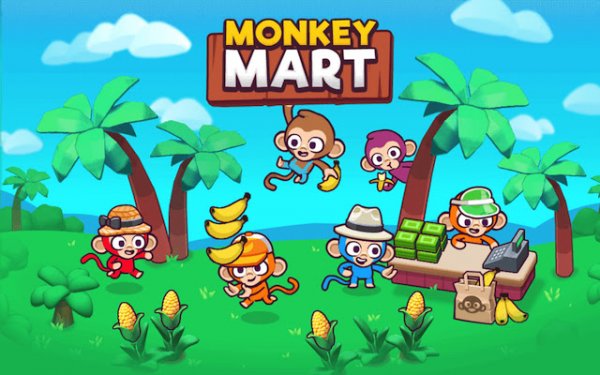
Monkey Mart: Fun Shop Sim puts you in charge of a small store operated by monkeys. The goal is straightforward: start with a basic stall and turn it into a larger shop. You plant crops like corn and bananas in a garden area, wait for them to grow, then harvest and place them on shelves. Customers browse the shelves and pick what they want. When they are ready to buy, you go to the checkout counter to complete the sale and collect coins.
Farming and Selling Cycle
The core loop ties farming directly to retail. Crops take time to grow, so you decide when to plant and when to harvest to keep shelves stocked. Empty shelves mean fewer sales, while a steady supply keeps customers coming. Coins earned from each sale can be spent on upgrades that speed up farming, increase shelf space, or make checkout faster. You can also hire other monkeys to handle routine tasks, which lets you focus on expanding the shop.
Controls and Progression
You move your monkey character with arrow keys or WASD. Actions trigger automatically when you stand near a station, such as a garden plot, shelf, or checkout counter. Menus for upgrades and settings are navigated with mouse clicks. As you progress, you unlock new products to sell and can expand your stall into a larger store. The game mixes active play with idle elements, so helpers can keep things running while you plan your next move.
Who It Suits
The bright, cartoon-like visuals and simple controls make Monkey Mart: Fun Shop Sim approachable for players of all ages. It runs in a web browser without downloads, so you can play in short sessions or longer breaks. The steady cycle of planting, harvesting, selling, and upgrading provides a calm, positive experience with clear feedback on your progress.







Comments
0 comments