Step-by-Step Styling Process
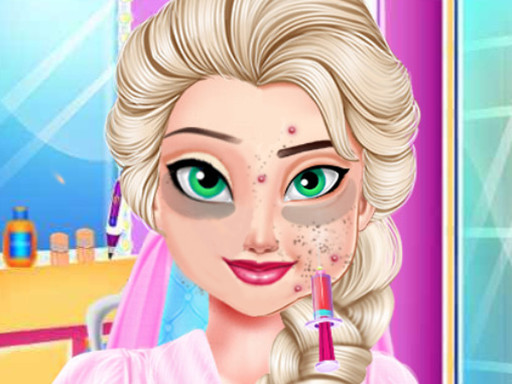
Princess Style Makeover Adventure structures its gameplay around a clear sequence: players first modify Elsa's facial features—eyes, nose, and lips—using a set of on-screen tools. Each adjustment is guided by instructions, so the process stays approachable for younger players. Once the face is set, the game moves to makeup, where foundation, eyeshadow, lipstick, and blush can be applied. The final stage is dressing Elsa in elegant gowns and accessories for the pageant. This linear flow gives each session a defined beginning and end.
Creative Freedom and Experimentation
Within each stage, the game encourages mixing and matching. Players can try different makeup colors, combine outfits, and revisit earlier choices before finalizing a look. Because there is no timer or competitive pressure, the pace is entirely player-driven. The variety of tools and garments supports repeat play, as each session can produce a distinctly different result. The focus stays on personal expression rather than achieving a single correct appearance.
Controls and Accessibility
Interactions rely on simple mouse clicks or touch gestures, with drag-and-drop used to apply items. This makes the game easy to pick up on both desktop and mobile devices. The interface presents tools and options clearly, reducing the need for trial and error. While designed with younger players in mind, the range of styling choices offers enough depth to keep older players engaged during longer sessions.
Design and Tone
Colorful graphics and a friendly character design set a positive tone. The game avoids conflict or scoring systems, instead emphasizing self-care and the enjoyment of transformation. The presence of Anna as a pageant companion reinforces the cooperative, uplifting theme. This makes the experience suitable for family play or solo relaxation.








Comments
0 comments