Klondike Solitaire Classic

Klondike Solitaire Classic

Developer: Agilitypeak Labs
Published: 2026-04-06
Updated: 2026-07-03
| Solitaire , Board , Card

Review

Klondike Solitaire Classic faithfully recreates the timeless card game with intuitive drag-and-drop controls. The option to play timed or untimed suits both casual and focused sessions. Hints and undo features support learning and strategy. Instant browser play with no download makes it accessible anywhere. A polished, enjoyable experience for all skill levels.

About This Game

Game Introduction

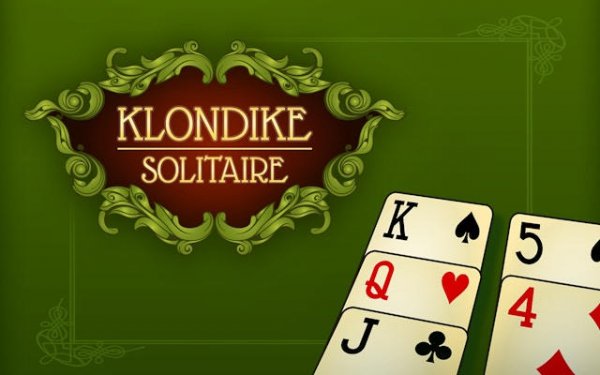
Klondike Solitaire Classic brings the world's most beloved card game to your browser. Using a standard 52-card deck, the goal is to build four foundation piles by suit from Ace to King. This classic pastime combines simple rules with deep strategic possibilities, making it ideal for both seasoned players and newcomers. The game provides a welcoming escape that is endlessly replayable, whether you want to relax or challenge your mind.

How to Play

To play, arrange the tableau of seven columns by moving cards in descending order and alternating colors. Reveal face-down cards by clearing the cards above them. Use the stock pile to draw more cards when no moves are available. Strategic planning is key to uncovering all cards and winning. The intuitive drag-and-drop controls and clear visual cues make it easy to learn and enjoy.

Game Features

Game features include authentic classic gameplay. Intuitive design supports flexible timed or untimed modes. Helpful hints and undo functions assist players. Instant browser play requires no downloads.

Tips for Success

To improve your chances of winning, focus on revealing face-down cards early by prioritizing moves that clear tableau columns. Avoid moving cards from the foundation piles unless absolutely necessary, as this can limit your options. Use the undo feature to explore different sequences and learn from mistakes. Practice regularly to develop a sense of strategic planning and pattern recognition.


Compatibility

๐Ÿ’ป Desktop | ๐Ÿ“ฑ Mobile | ๐Ÿ“Ÿ Tablet
โ€“ All supported ยท Best with Chrome or Safari

Faq

Can I play Klondike Solitaire Classic on my mobile device?
Klondike Solitaire Classic is designed for browser play and works well on most mobile browsers. The layout adjusts to smaller screens, and touch controls allow easy drag-and-drop card movement. No app download is required.
Does Klondike Solitaire Classic keep track of my win rate?
The game may include a statistics feature that tracks your wins, losses, and completion times. This helps you monitor your progress and improvement over multiple sessions. Check the game interface for a stats or history option.
Is there a timer in Klondike Solitaire Classic?
Klondike Solitaire Classic offers both timed and untimed modes. You can choose to play without time pressure for a relaxed experience, or enable a timer to challenge yourself and improve your speed. The mode can be selected before starting a game.
What happens when I run out of moves in Klondike Solitaire Classic?
When no moves are available, you can draw cards from the stock pile. If the stock pile is exhausted and no moves remain, the game ends. You can then start a new game or review your completed moves using the undo feature.
Can I customize the card design or background in Klondike Solitaire Classic?
Klondike Solitaire Classic may offer a selection of card backs and background themes. These visual options allow you to personalize your playing experience. Look for a settings or customization menu within the game to explore available choices.
Is Klondike Solitaire Classic free to play?
Yes, Klondike Solitaire Classic is free to play directly in your browser. There are no download fees or subscription costs. The game may include optional advertisements to support its availability, but no payment is required to enjoy the full experience.