Classroom Teacher Simulator Game
Review
Classroom Teacher Simulator Game offers a relaxing yet engaging experience. The intuitive click controls make it easy to help students and grade papers, while the happiness meter adds a layer of strategy. The colorful graphics and positive atmosphere are perfect for all ages. It is a great way to unwind and feel productive at the same time.
About This Game
Game Introduction
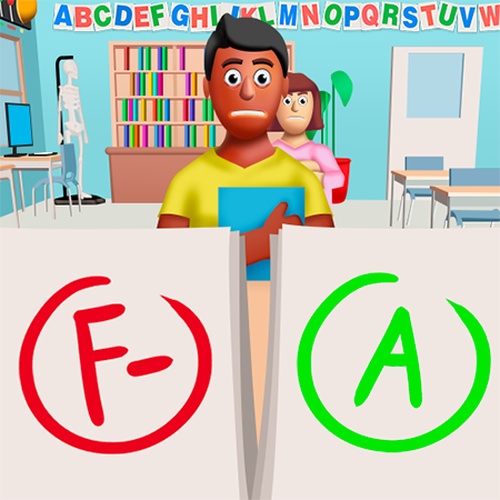
Classroom Teacher Simulator Game places you in charge of a lively classroom. Your goal is to create a positive learning environment by helping students with their work, maintaining order, and ensuring everyone stays engaged. The game captures the daily responsibilities of a teacher in a simplified, enjoyable way. It is designed to be accessible for children while still offering enough depth for adults who appreciate simulation games. The colorful graphics and straightforward tasks make it easy to understand and play. You will find yourself balancing multiple activities, from grading papers to answering questions, all within a supportive virtual setting. This game is a great choice for anyone curious about the teaching profession or looking for a relaxing yet productive pastime.
How to Play
Start by selecting a classroom and familiarizing yourself with the tools on screen. Use your mouse or finger to click on students who need help. Grade assignments by tapping on the papers that appear. Keep an eye on the classroom happiness meter; if it drops, use interactive items like books or toys to boost morale. Follow the on-screen prompts to complete daily tasks such as taking attendance or organizing desks. The controls are intuitive, so you can focus on the teaching experience without complicated instructions. As you progress, the game may introduce new challenges like managing different student personalities or preparing lesson materials. Each action you take affects the classroom atmosphere, making every decision meaningful.
Game Features
Manage classroom activities with simple click controls. Grade student assignments quickly and accurately. Interact with a variety of student characters, each with unique needs. Maintain classroom order and happiness through positive reinforcement. Enjoy colorful, child-friendly graphics and sound effects. Experience a realistic teacher schedule with varied daily tasks.
Tips for Success
To succeed in Classroom Teacher Simulator, focus on balancing your time between grading papers and helping students. Keep the classroom happiness meter high by using interactive items when needed. Pay attention to on-screen prompts to complete daily tasks efficiently. Practice regularly to improve your speed and multitasking skills. Stay patient with different student personalities to maintain a positive atmosphere.